
How to Make Someone an Admin in Telegram Without Over-Permissioning Them
A practical guide to promoting someone to admin in Telegram, choosing the right permissions, avoiding trust mistakes, and keeping group operations under control as your community grows.
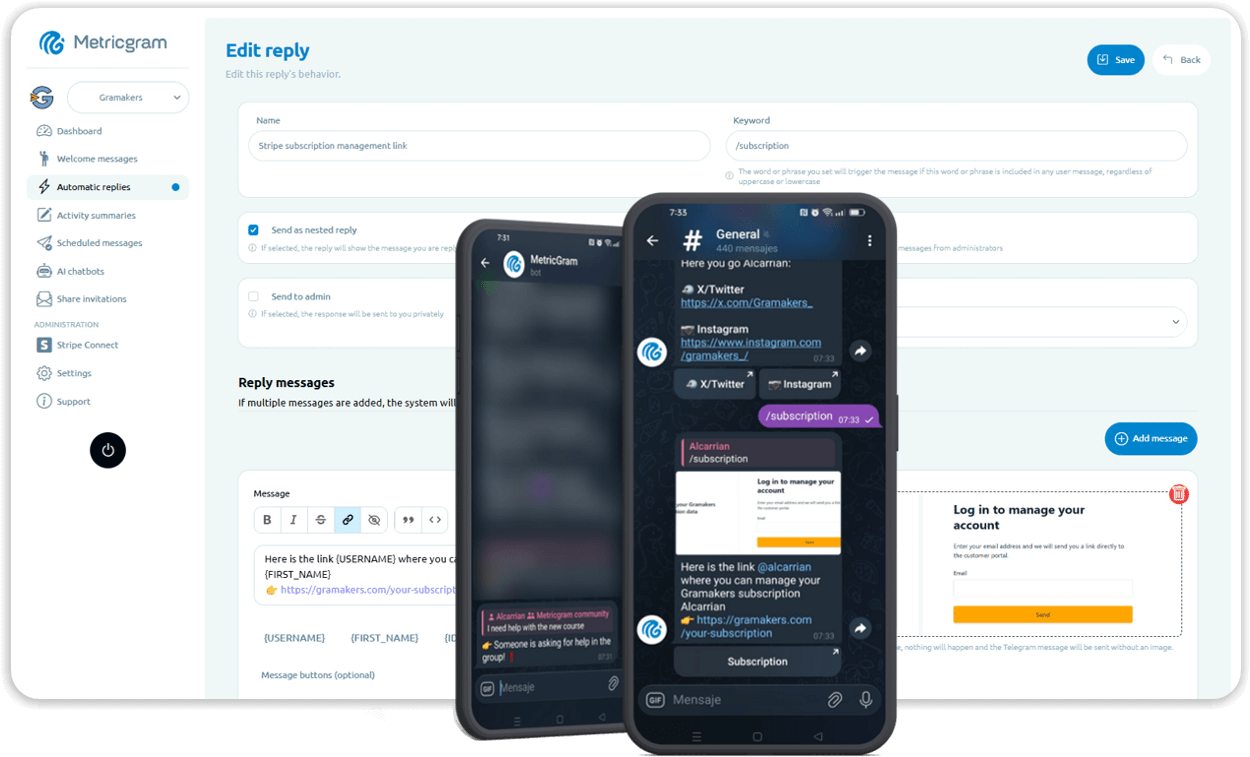
Live directory
Browse Metricgram's curated Telegram directory to find active communities by category and language, and see how leading groups position their listings.
Open directoryStart with the permission question
The mechanical step is easy.
Open the group, pick the person, turn on admin access, save.
The important question is: what should that person actually be allowed to do once they become an admin?
That is where Telegram group operations either stay clean or get messy fast.
Many groups do not break because the wrong person became an admin. They break because the right person got the wrong level of access:
- a moderator gets rights they do not need;
- a contractor keeps admin access after the project ends;
- a support person gets invite powers but no process;
- a co-host gets full control when the real need was just pinning messages and approving requests.
Telegram gives you granular admin controls for a reason. You should use them that way.
What Telegram officially supports
Telegram's official admin rights reference makes it clear that admin rights are not one single switch. They are separate capabilities that can be granted or withheld independently.
Telegram's official rights documentation also distinguishes between:
- admin rights;
- default permissions for members;
- restrictions applied to specific users.
That distinction matters because people often try to solve three different problems with one tool:
- who can manage the community;
- what normal members are allowed to do;
- what a specific problematic user should not be allowed to do.
Those are not the same thing.
Ready to improve your Telegram group? Start your 14-day Metricgram trial.
Start free trialBefore You Promote Anyone
Before you tap anything in Telegram, decide which of these jobs the person is actually taking on:
- moderation;
- support;
- community onboarding;
- content publishing;
- event hosting;
- premium member management;
- analytics or reporting.
Then ask the next question:
Which permissions are required for that job, and which permissions are unnecessary risk?
This is the right order.
If you start by making someone admin and only later think about scope, you are already working backwards.
How to make someone admin in Telegram
In current Telegram clients, the flow is straightforward:
- Open the group or channel.
- Open the group profile.
- Go to the admin or management section.
- Select the member you want to promote.
- Enable admin status.
- Review each permission one by one.
- Save.
The important part is step 6.
Do not rush through the permissions screen as if it were a formality. That screen is the whole job.
What permissions usually matter
Telegram may surface slightly different labels depending on platform and group type, but the logic is consistent. Admin rights generally cover things like:
- changing group info;
- deleting messages;
- banning or restricting users;
- inviting users;
- pinning messages;
- managing voice chats or live sessions;
- managing topics or other group structures;
- adding other admins in some contexts.
This does not mean every admin should get every right.
Good examples
- A moderator may need message deletion and user restriction rights.
- A community lead may need pinning and event-management rights.
- A support operator may need access to invite or join-request flows.
- A content assistant may only need publishing-related rights.
Bad examples
- Giving a freelance moderator the ability to add other admins.
- Giving a temporary event host full moderation rights forever.
- Giving admin rights to someone who only needs to answer questions.
Use the principle of least privilege
The clean default is simple:
Give the minimum rights needed to perform the current job well.
If responsibilities grow later, expand access later.
This is standard operational hygiene, but many Telegram communities ignore it because the group feels informal. The chat may feel casual, but the permissions are not casual.
If the community matters to revenue, clients, or brand trust, admin rights should be treated with the same seriousness you would apply to software back-office access.
Common mistakes when promoting admins
The biggest mistakes are not technical. They are process mistakes:
- promoting too early because someone seems helpful;
- using admin rights as a shortcut for unclear workflows;
- failing to document who owns which part of operations;
- not removing rights when the role changes;
- letting one highly trusted person accumulate every permission;
- confusing "visible leader" with "needs maximum control."
Another common mistake is using human admin access to solve a repetitive workflow problem.
If someone only needs to manually check who paid, add approved members, remove expired users, and answer the same onboarding questions, you may not need another human admin. You may need better automation.
When not to make someone admin
Sometimes the right answer is not to promote the person at all.
Do not make someone admin if:
- they only need a one-off task;
- they do not understand the consequences of the permissions;
- they should not be able to see or control community operations;
- the problem is recurring access management rather than moderation;
- the task could be handled by tooling instead of a human with elevated rights.
That last point matters in paid communities.
Creators often start by making a helper admin just to:
- send invite links;
- remove cancelled members;
- answer join issues;
- manage repetitive onboarding.
That works for a while, but it creates a fragile process tied to people rather than systems.
A better way to delegate
If someone really should be an admin, define the role properly:
- Write down the job.
- Assign the minimum matching permissions.
- Document who approved the access.
- Review the role after a defined period.
- Remove or adjust rights when responsibilities change.
This sounds formal for a Telegram group, but formal is exactly what prevents silent permission sprawl.
Where Metricgram Fits
Metricgram is useful when the reason you are considering another admin is operational overload rather than leadership delegation.
That usually looks like:
- subscription-based groups managed through Stripe;
- manual onboarding for premium members;
- recurring access cleanup when people cancel;
- repetitive admin work around private invite flows;
- the same support and access tasks being repeated every week.
In those cases, making another person admin may reduce pain temporarily, but it does not solve the root problem. Better automation does.
What matters most
Making someone admin in Telegram is easy.
Making the right person admin, with the right scope, for the right reason, is what protects the community.
If you treat admin rights like a workflow design decision instead of a casual toggle, your group stays safer, cleaner, and easier to scale.
Ready to manage your Telegram group with Metricgram?
Automate tasks, track analytics, and grow your community with a 14-day free trial. No credit card required.
Start free trialGet weekly Telegram community tips
Join community managers who receive our best tips, guides, and product updates.
You may also like
Telegram For Podcasters: How To Build Listener Community, Paid Access, And Launch Momentum Beyond The RSS Feed
Podcasts are great for trust and habit, but weak for direct listener interaction. This guide explains how podcasters can use Telegram for launch rooms, paid communities, and listener retention without confusing it with podcast hosting.
Telegram For Freelancers: How To Use It For Clients, Leads, And Community Without Creating More Admin Work
Telegram can be useful for freelancers, but only if it has a clear job. This guide explains when to use Telegram for client communication, lead nurturing, paid communities, and peer groups without turning it into operational clutter.