
Telegram Group Dashboard
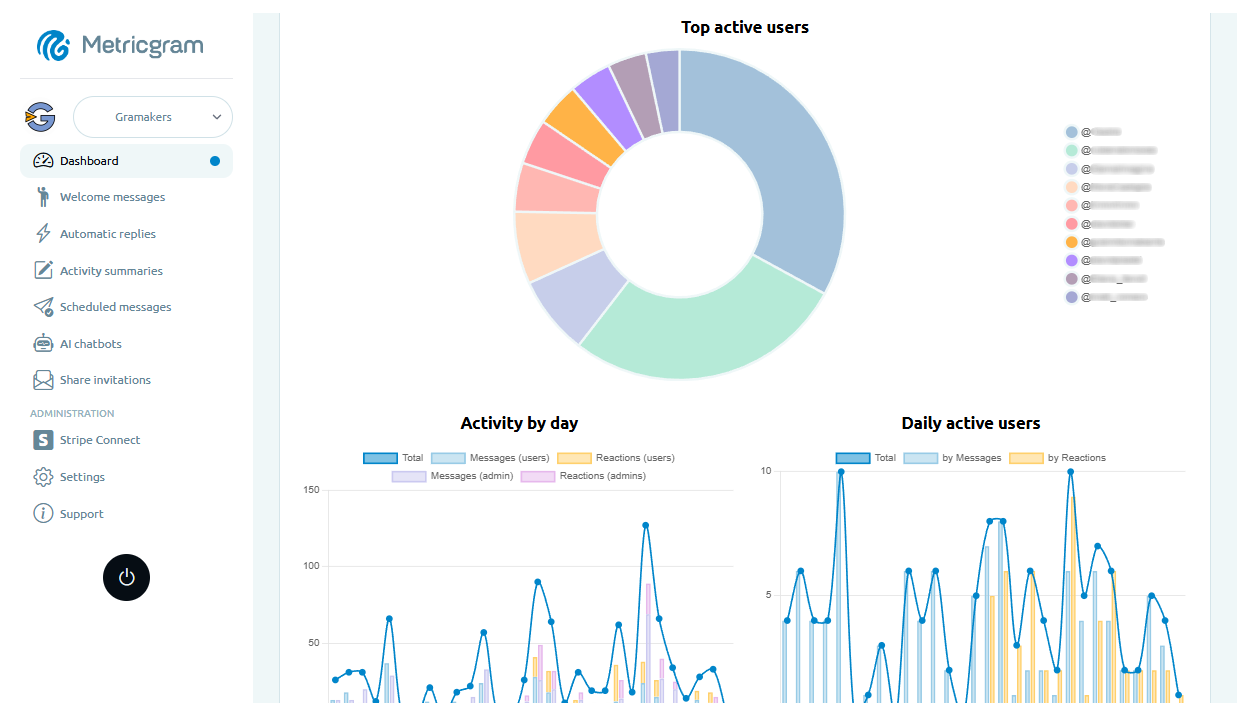
Get a complete overview of your Telegram community with real-time analytics, member tracking, and engagement metrics — all in one dashboard.
Real-time Metrics & Data
Monitor your community's pulse with detailed statistics on messages, members, growth rates, and activity patterns. Visualize data by day, week, or month to make informed decisions that drive engagement.
Member Activity Tracking
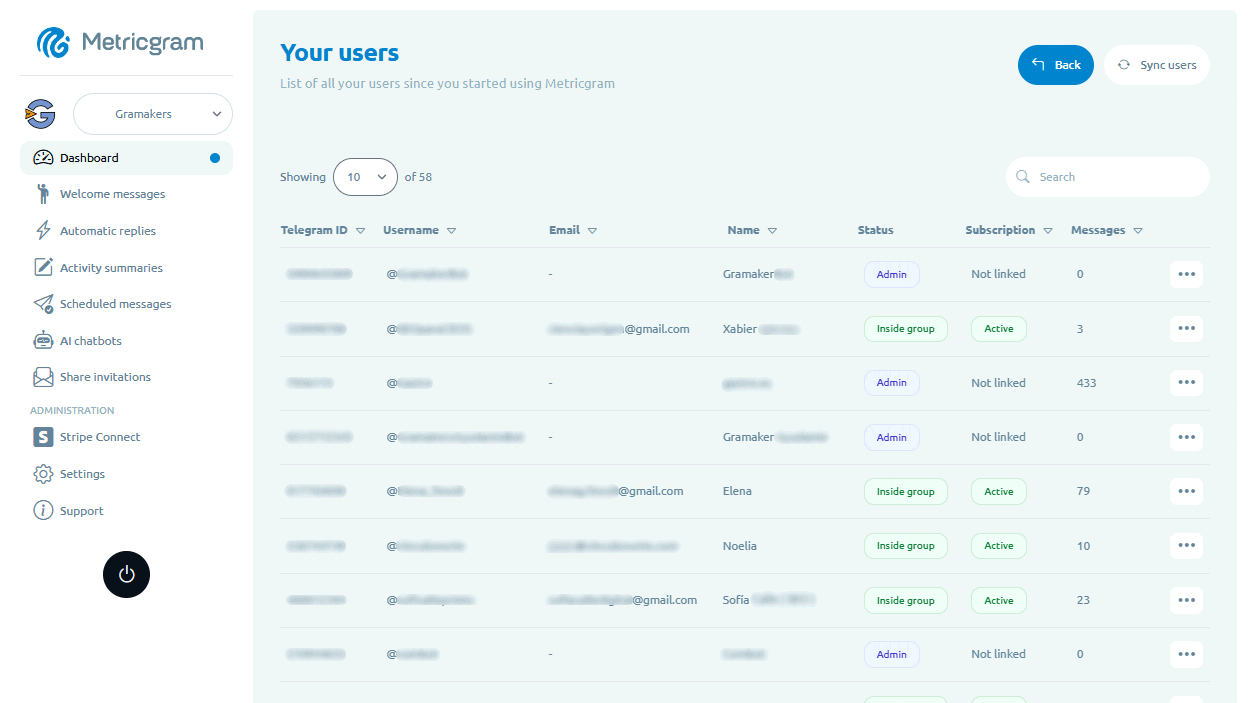
Track every member's activity, identify top contributors, and see who's most engaged. View message counts, reaction rates, and participation trends for each user in your community.
Activity by Hour & Day
Discover when your group is most active. Heatmaps and charts show activity patterns by hour and day of the week, helping you schedule content at peak engagement times.
Growth & Retention Metrics
Track new member joins, departures, and net growth over time. Understand your retention rates and identify what drives members to stay or leave your community.
Multi-Group Overview
Manage multiple Telegram groups from a single dashboard. Switch between groups instantly and compare performance across all your communities side by side.
CSV Data Export
Export your community data to CSV for deeper analysis or reporting. Download member lists, message statistics, and activity data whenever you need it.
Frequently Asked Questions
What metrics does the Metricgram dashboard track?
Can I manage multiple Telegram groups from one dashboard?
How often is the dashboard data updated?
Can I export my group data?
Get started in minutes
Get a complete overview of your Telegram community with real-time analytics, member tracking, and engagement metrics — all in one dashboard.
Related Features
Daily Reports for Telegram
Stay informed with automated daily reports delivered directly to your Telegram group. Know exactly what happened every day without checking manually.
Data Export & Reporting for Telegram
Export your community data whenever you need it. Download member lists, activity metrics, and engagement reports to CSV for deeper analysis or stakeholder reporting.
Gamification for Telegram
Turn participation into a game. Award points for messages, reactions, and consistency. Create rewards, leaderboards, and competitions to keep your community engaged.