
How to Actually Manage a Telegram Group (Without Burning Out)
Running a Telegram community is rewarding until it's not. This guide covers automating the boring stuff, tracking what matters, and getting your time back.
Live directory
Browse Metricgram's curated Telegram directory to find active communities by category and language, and see how leading groups position their listings.
Open directoryThe Problem No One Talks About
You started a Telegram group because you had something valuable to share. A community to build. A business to grow. Maybe you wanted to connect people around a shared interest, offer premium content, or support your customers in a more personal way.
Fast forward a few months and you're spending more time moderating, answering the same questions, and dealing with spam than actually doing the thing you started the group for. Your mornings begin with scrolling through hundreds of messages you missed overnight. Your evenings end with you banning another spam bot and answering "how do I subscribe?" for the fifteenth time this week.
Sound familiar? You're not alone. Every community manager hits this wall eventually. The group grows, the workload multiplies, but your hours in the day stay exactly the same.
The Three Pillars of Smart Group Management
After working with hundreds of Telegram communities, we've found that every well-managed group shares three things: automation for the repetitive work, data for decisions, and systems for engagement.
Ready to improve your Telegram group? Start your 14-day Metricgram trial.
Start free trial1. Stop Being the FAQ Bot
This is the single biggest time drain for group admins. You're answering the same questions multiple times every day. "How much does it cost?" "Where do I find the resources?" "What are the rules?" "When is the next event?"
Each answer takes you 1-3 minutes. That doesn't sound like much until you realize you're doing it 20-30 times a day. That's an hour of your life, every single day, spent on copy-paste.
The fix: keyword-based auto-replies. Set up triggers that detect common questions and respond instantly, either in the group chat or via private DM. These triggers are worth setting up on day one:
- "price" / "cost" / "subscribe": Your pricing page or signup link
- "rules" / "guidelines": Link to your pinned rules message
- "help" / "support": How to get assistance or open a ticket
- "resources" / "docs" / "links": Links to your key materials
- "schedule" / "when": Your content calendar or event schedule
Pro tip: Send auto-replies as private DMs whenever possible. This keeps the group chat clean while still answering the question. The person gets their answer, and the group conversation isn't interrupted by bot responses.
With Metricgram's automatic replies, you can create multiple triggers within your plan limits, each with custom responses, in about 10 minutes. After that, you never answer those questions manually again.
2. Make Rules Impossible to Miss
Every group admin has experienced this: a new member joins, immediately breaks a rule, gets warned, and says "I didn't know there were rules."
A pinned message exists, sure. But it's buried under 500 other messages and nobody scrolls up to find it. The truth is, pinned messages are where rules go to die.
What works better is an automatic welcome message that every new member receives the moment they join. For member retention, it is one of the highest-impact changes you can make.
Your welcome message should include:
- A warm greeting (use their first name if possible)
- One sentence about what the group is for
- The top 3-5 rules, not a wall of text
- Where to find resources or get help
- A call to action ("Introduce yourself!" or "Start by checking out...")
You can send this to the group, as a private DM, or both. Private DMs have a higher read rate, but group messages create social proof when other members see the welcome.
The math: If you get 10 new members per day and spend 2 minutes welcoming each one, that's 20 minutes daily, or over 10 hours per month. An automatic welcome message does this in zero seconds.
3. Know Your Numbers
"The group feels active" is not a strategy. It's a vibe check. And vibes are wrong more often than you'd think.
I've seen admins who thought their group was thriving because the same 5 power users were posting constantly, while the other 495 members had completely disengaged. The group felt busy, but 99% of members were inactive. That's not a community. That's a group chat between 5 friends.
Metrics you should check weekly:
| Metric | What It Tells You | Warning Sign |
|---|---|---|
| Daily active members | Real participation level | Below 2% of total |
| Messages per day | Conversation health | Declining week over week |
| New vs. churned members | Growth reality | More leaving than joining |
| Engagement rate | Community health | Consistent decline |
| Top contributors | Who's driving conversation | Same 3-5 people always |
| Response time | Support quality | Questions going unanswered |
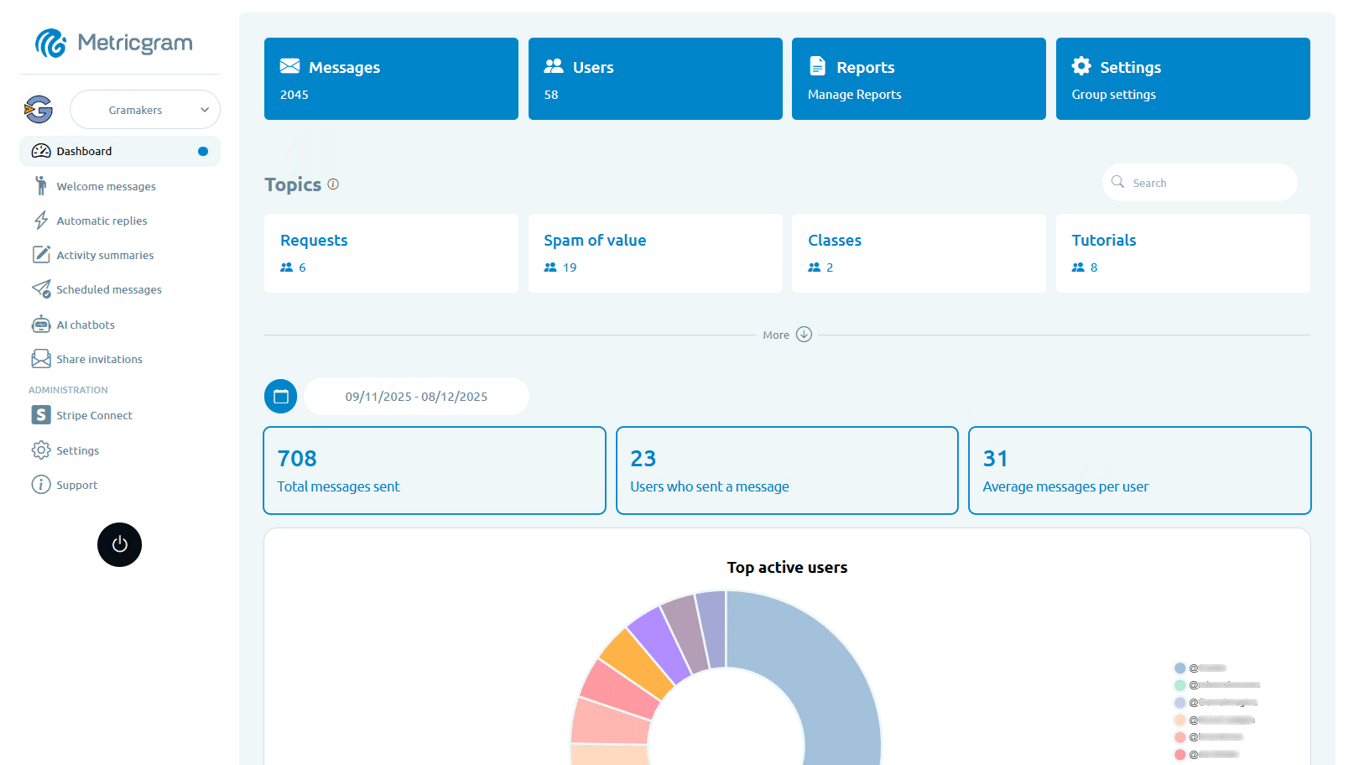
Without data, you're guessing. With a proper analytics dashboard, you're making informed decisions. You spend 10 minutes on Monday reviewing the numbers, and the rest of the week you know exactly what needs attention.
4. Make Silence Uncomfortable (In a Good Way)
Dead groups stay dead. The longer no one talks, the harder it is for anyone to break the silence. It's a vicious cycle: nobody posts because nobody's posting.
Gamification breaks this cycle. When members earn points for sending messages and giving reactions, when there's a visible leaderboard, when there are rewards to unlock, people participate. Not because they're forced to, but because there's a small, positive incentive.
What works:
- Points for messages (1 point per message, with daily caps to prevent spam)
- Points for reactions (encourages engagement with others' content)
- Streak bonuses (reward consecutive days of participation)
- Leaderboards (visible weekly rankings)
- Rewards (things members actually want, such as roles, access, or recognition)
We've seen groups go from 5 daily active members to 50+ within two weeks of turning on gamification. The leaderboard creates a natural competitive dynamic that doesn't feel forced.
5. Be Consistent Without Being Present
Consistency is what separates thriving communities from ghost towns. Members need to know that something is happening in the group on a regular basis. But you can't be online posting every day at the same time. You have a life.
The solution: scheduled messages. Write your content once, schedule it, and let it post automatically. A simple content calendar can look like this:
- Monday: Discussion prompt or question of the week
- Wednesday: Share a tip, resource, or case study
- Friday: Weekend challenge, open thread, or wins celebration
That's three pieces of content per week. You can batch-write all three in 30 minutes on Sunday evening and schedule them. The group gets consistent content, and you don't think about it until next Sunday.
Metricgram's scheduler supports one-time and recurring messages with images and formatting. Set it up once for your recurring content and it runs indefinitely.
6. Let AI Handle the Easy Stuff
An AI chatbot trained on your community's data can handle the majority of support questions. Not generic ChatGPT answers, but actual responses based on your content, your rules, your FAQ, and your specific context.
When someone asks "How do I connect my Stripe account?" and the bot answers with the exact steps from your documentation, that's a member helped without you lifting a finger. And it works at 3am on a Sunday.
The key is training the AI with your data. Generic bots give generic answers that frustrate people. A bot trained on your specific content gives relevant, accurate answers that actually help.
Metricgram's AI chatbots connect to your OpenAI account and can be trained with your own knowledge base. No coding required.
7. Monetize Without the Headache
If you're running a paid community, manual access management is a nightmare. Checking who paid, who didn't, adding people, and removing people is a spreadsheet disaster waiting to happen.
With Stripe Connect integration, the entire flow is automated:
- Member pays via your Stripe checkout
- They automatically receive a group invite link
- When they cancel or payment fails, access is revoked automatically
No manual checking. No spreadsheets. No awkward "hey, your subscription expired" messages.
What Not to Automate
Automation can go too far. Some things should stay human:
- Sensitive moderation decisions: Banning someone should involve judgment rather than keyword matching alone
- Personal conversations: When someone shares something personal, show up as a human
- Crisis management: When things go sideways, be present personally
- Community culture: The vibe of your group comes from genuine human interaction
The goal of automation isn't to remove yourself from the group. It's to remove yourself from the repetitive tasks so you can focus on the work that only a human can do: building relationships, creating valuable content, and making strategic decisions.
The 30-Minute Transformation
If you're starting from scratch, you can set up smart management in half an hour:
- Connect your group (2 min)
- Write a welcome message (5 min)
- Create 5 auto-reply triggers (10 min)
- Schedule a week of content (10 min)
- Turn on basic gamification (3 min)
After that half hour, the machine runs itself for the routine stuff. You focus on what matters.
What matters most
The best community managers aren't the ones who work the hardest. They're the ones who build systems that work for them.
Every day you spend manually doing what a bot could handle is a day you're not spending on what actually grows your community. The math is simple: automate the repetitive, measure what matters, and show up for the conversations that count.
Start your 14-day free Metricgram trial to manage automation, analytics, engagement, and payments in one platform. No credit card, no BS.
Ready to manage your Telegram group with Metricgram?
Automate tasks, track analytics, and grow your community with a 14-day free trial. No credit card required.
Start free trialGet weekly Telegram community tips
Join community managers who receive our best tips, guides, and product updates.
You may also like
Telegram For Podcasters: How To Build Listener Community, Paid Access, And Launch Momentum Beyond The RSS Feed
Podcasts are great for trust and habit, but weak for direct listener interaction. This guide explains how podcasters can use Telegram for launch rooms, paid communities, and listener retention without confusing it with podcast hosting.
Telegram For Freelancers: How To Use It For Clients, Leads, And Community Without Creating More Admin Work
Telegram can be useful for freelancers, but only if it has a clear job. This guide explains when to use Telegram for client communication, lead nurturing, paid communities, and peer groups without turning it into operational clutter.