
Telegram Group Management: The Complete Guide for 2026
Everything you need to know about managing Telegram groups professionally. From first setup to automation, analytics, monetization, and scaling to thousands of members.
Live directory
Browse Metricgram's curated Telegram directory to find active communities by category and language, and see how leading groups position their listings.
Open directoryWhat Is Telegram Group Management?
Telegram group management is the discipline of organizing, moderating, growing, and maintaining a Telegram group so it remains valuable and active for its members. It encompasses everything from setting rules and onboarding new members to tracking analytics, automating workflows, and monetizing your community.
If you run a group with more than a few dozen members, you're already doing group management — whether you've formalized it or not. The question is whether you're doing it efficiently, or whether the group is managing you.
This guide covers everything you need to know, from the fundamentals to advanced strategies used by professional community managers running groups with tens of thousands of members.
Why It Matters More Than Ever
Telegram has crossed 950 million monthly active users in 2026. Groups can hold up to 200,000 members. The platform has become the default home for crypto communities, creator groups, business masterminds, support communities, and interest-based groups of every kind.
But the opportunity comes with challenges that didn't exist at smaller scales:
- Moderation load increases exponentially. 10x members doesn't mean 10x moderation — it means 50x, because problems compound.
- Active members need consistent value. The moment your group goes quiet, people stop checking in. Getting them back is 10 times harder than keeping them engaged.
- New members need onboarding. Without a clear introduction, most newcomers never post a single message and leave within days.
- Paid communities need access control. Manual subscription management breaks at 50+ subscribers and becomes a full-time job at 200+.
- Decisions based on real data beat intuition. Gut feeling works for small groups. At scale, you need real analytics.
The solution isn't working harder. It's building systems that work for you.
Ready to improve your Telegram group? Start your 14-day Metricgram trial.
Start free trialPart 1: The Fundamentals
Group Structure
Before anything else, decide what kind of group you're running:
Open groups — Anyone can find and join. Best for broad communities, public discussions, and top-of-funnel acquisition.
Private groups — Join via invite link only. Best for paid communities, exclusive groups, and focused teams. The link can be rotated to control access.
Topic-based groups — Uses Telegram's built-in Topics feature to split conversations into threads. Essential for groups over 500 members where multiple conversations happen simultaneously.
Groups with channels — Pair your group with a Telegram channel. The channel handles announcements (one-way broadcast), the group handles discussion (two-way conversation). This separation keeps things organized.
Rules and Guidelines
This is the foundation. Without clear rules, every group eventually devolves into chaos.
Rules that actually work:
- Keep it short — 5-7 rules maximum. Nobody reads a wall of text.
- Be specific — "Be respectful" is vague. "No personal attacks, insults, or harassment" is clear.
- State consequences — "First offense: warning. Second: 24-hour mute. Third: ban."
- Pin them — But also send them via welcome message, because nobody reads pinned messages in active groups.
Good rule categories:
- Content rules (what's on-topic, what's not)
- Behavior rules (respect, language, personal attacks)
- Promotion rules (self-promotion policy, spam)
- Media rules (links, images, forwards)
Admin Structure
You can't do it alone at scale. Here's a healthy admin structure:
| Role | Responsibility | When to add |
|---|---|---|
| Owner | Strategic decisions, ultimate authority | Always (you) |
| Senior admin | Day-to-day management, rule enforcement | 200+ members |
| Moderator | Active monitoring, warning/muting | 500+ members |
| Bot | Automated tasks (welcome, auto-reply, analytics) | From day one |
Rule of thumb: One active moderator per 500 daily active members. If your group has 2,000 active daily members, you need 3-4 moderators covering different time zones.
Member Onboarding
First impressions determine whether a new member becomes an active participant or a permanent lurker. Research shows that members who engage within their first 48 hours are 5x more likely to remain active after 30 days.
The perfect onboarding flow:
- Member joins → Automatic welcome message fires immediately
- Welcome message includes: greeting, what the group is for, top 3 rules, and a call to action
- Call to action gives them something to do RIGHT NOW ("Introduce yourself!" / "What brought you here?")
- An admin or moderator responds to their introduction within hours
This flow converts passive joiners into active members. Without it, 80%+ of new members never post.
Part 2: Automation
Once your fundamentals are solid, automation is how you scale without burning out.
Welcome Messages
Automatic messages sent when someone joins. Two types:
- Group welcome — Posted in the group for everyone to see. Creates social proof ("welcome, Sarah!") and reinforces the onboarding experience.
- Private welcome (DM) — Sent directly to the new member. Higher read rate, can include longer content, links to resources, and personal instructions.
Most successful communities use both — a short group welcome and a detailed private DM.
Auto-Replies (Keyword Triggers)
Configure keywords that trigger automatic responses. Every FAQ-type question should have a trigger.
Setup time: 10 minutes for 5 triggers. Time saved: 30-60 minutes daily.
The key insight: auto-replies don't make your group feel robotic. They make it feel responsive. A member asks a question and gets an instant, helpful answer. That's a better experience than waiting 3 hours for a human to copy-paste the same response.
Scheduled Messages
Consistency builds communities. Scheduled messages let you maintain a regular posting cadence without being online 24/7.
A minimal content calendar:
- Monday: Discussion prompt or question
- Wednesday: Resource, tip, or tutorial
- Friday: Wins celebration or weekend challenge
Write all three on Sunday evening. Schedule them. Done. Total time: 30 minutes per week.
AI-Powered Summaries
For active groups with 100+ messages per day, staying caught up is impossible without help. AI summaries analyze all conversations and distill them into key topics, decisions, and unanswered questions.
This is particularly valuable if you manage the group part-time or across different time zones. Instead of scrolling through 500 messages, you read a 2-minute summary.
Custom Bots
Telegram lets you use a custom bot instead of a generic third-party bot. This means your bot has your community's name, your avatar, and sends messages as "Your Community Bot" instead of "Some Random Bot."
This creates a professional, cohesive experience. Members see a branded bot as part of your community, not as an external tool.
Part 3: Analytics and Growth
Essential Metrics
Track these weekly:
- Daily active members — Your most important number
- Engagement rate — Active members / Total members
- Message distribution — Who's talking, beyond raw message volume
- Net growth — New members minus departed members
- Response time — How quickly questions get answered
- Top contributors — Your community's backbone
Growth Strategies
Organic growth:
- Create shareable content that members forward to others
- Run challenges or events that incentivize invites
- Cross-promote in related communities (with permission)
- Leverage your Telegram channel to funnel members into the group
Content-driven growth:
- Blog posts that target relevant SEO keywords
- Social media presence that points to your Telegram
- YouTube tutorials or podcasts that mention your community
- Guest appearances in related communities
Retention (the most underrated growth strategy):
- Reduce churn by 2% and your group grows faster than adding 50 new members per month
- Focus on onboarding, engagement, and consistent value delivery
- Use gamification to create participation habits
Gamification
One of the most powerful tools for group engagement:
- Points for messages, reactions, daily activity
- Streaks for consecutive participation days
- Leaderboards for competitive motivation
- Rewards for accumulated points
Gamification works because it makes participation habitual. A member who has a 14-day streak is highly unlikely to break it voluntarily. The habit becomes self-reinforcing.
Part 4: Monetization
Subscription Models
| Model | Best For | Typical Price |
|---|---|---|
| Monthly | Ongoing communities | $9-99/month |
| Annual | Established groups | 20-30% monthly discount |
| Lifetime | Course-based communities | $99-499 one-time |
| Tiered | Multiple value levels | Free + $29 + $99 |
Automated Access Control
The most critical piece of monetization. When someone subscribes, they should get access immediately and automatically. When they cancel, they should lose access immediately and automatically.
Stripe Connect integration handles this entire flow:
- Member pays via Stripe checkout
- Metricgram detects the payment
- Member receives an invite link automatically
- When subscription ends → access is revoked automatically
No spreadsheets. No manual checks. No members hanging around after their subscription expired because you forgot to look.
Pricing Strategy
Start lower than you think. It's easier to raise prices than to lower them. Test with a small cohort, demonstrate value, and increase pricing for new members over time.
Key metric: Monthly churn rate. If churn is under 3%, you're probably underpriced. If it's over 10%, the value doesn't match the price.
Part 5: Tools
The right tools make professional group management possible. Here's what to look for:
- Unified dashboard — Everything in one place, not 8 different bots
- Analytics — Real metrics beyond message counts
- Automation — Welcome messages, auto-replies, scheduling
- Payment integration — Stripe Connect for subscription management
- AI capabilities — Chatbots, summaries, smart features
- Gamification — Points, rewards, leaderboards
- Custom branding — Your own bot, not a generic third-party tool
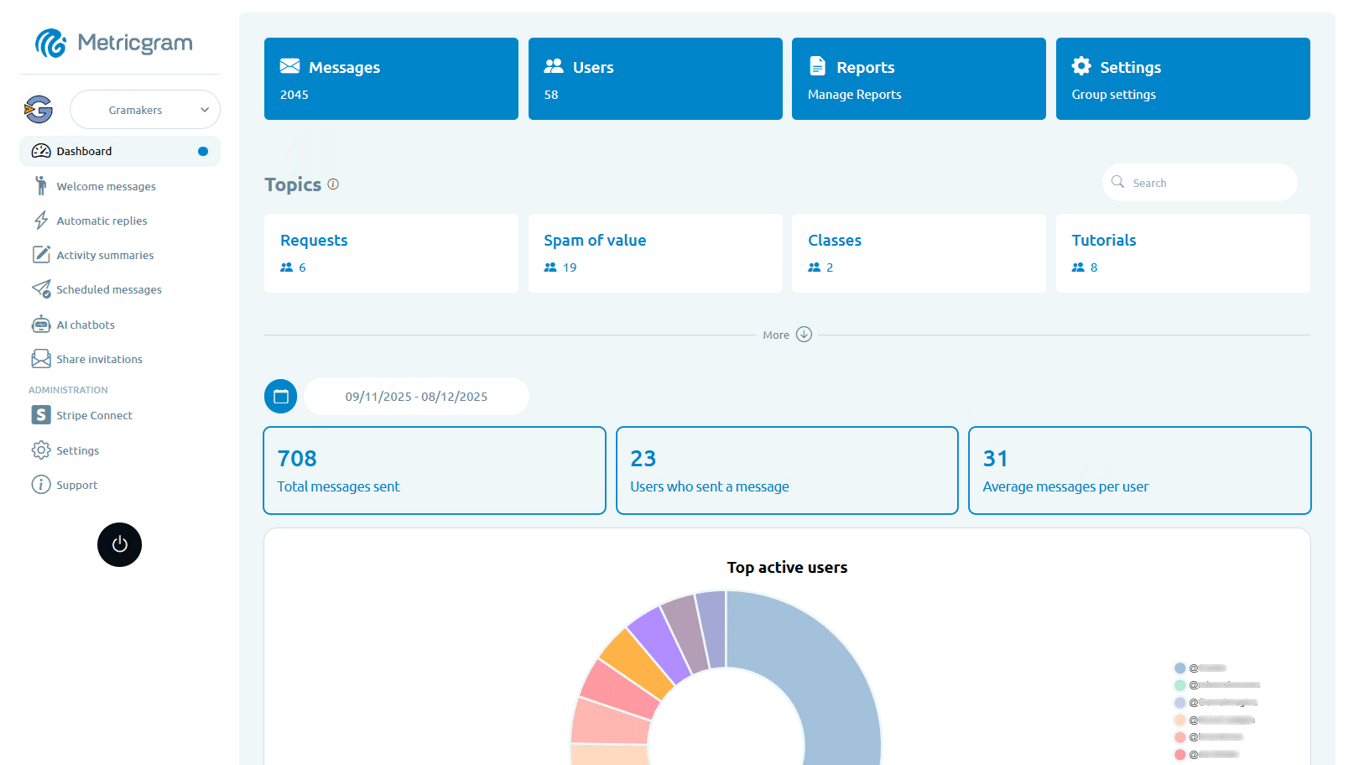
Metricgram combines all of these into a single platform built specifically for Telegram group management.
Getting Started
Whether you're starting a new group or leveling up an existing one, here's your action plan:
Week 1: Set up fundamentals — rules, welcome message, 5 auto-replies
Week 2: Start tracking analytics — review metrics every Monday
Week 3: Launch scheduled content — 3 posts per week
Week 4: Add gamification — points, leaderboard, first reward
After one month, you'll have a system that runs itself for the routine stuff, data that guides your decisions, and engagement that's measurably improving.
The best time to systematize your group management was when you started. The second best time is right now.
Start your free Metricgram trial — no credit card required. Set up in under 5 minutes.
Ready to manage your Telegram group with Metricgram?
Automate tasks, track analytics, and grow your community with a 14-day free trial. No credit card required.
Start free trialGet weekly Telegram community tips
Join community managers who receive our best tips, guides, and product updates.
You may also like
Telegram For Podcasters: How To Build Listener Community, Paid Access, And Launch Momentum Beyond The RSS Feed
Podcasts are great for trust and habit, but weak for direct listener interaction. This guide explains how podcasters can use Telegram for launch rooms, paid communities, and listener retention without confusing it with podcast hosting.
Telegram For Freelancers: How To Use It For Clients, Leads, And Community Without Creating More Admin Work
Telegram can be useful for freelancers, but only if it has a clear job. This guide explains when to use Telegram for client communication, lead nurturing, paid communities, and peer groups without turning it into operational clutter.