
Best Telegram Bots for Group Management in 2026
A comprehensive guide to the best Telegram bots for managing groups. Covers moderation bots, analytics bots, welcome bots, anti-spam bots, and automation tools.
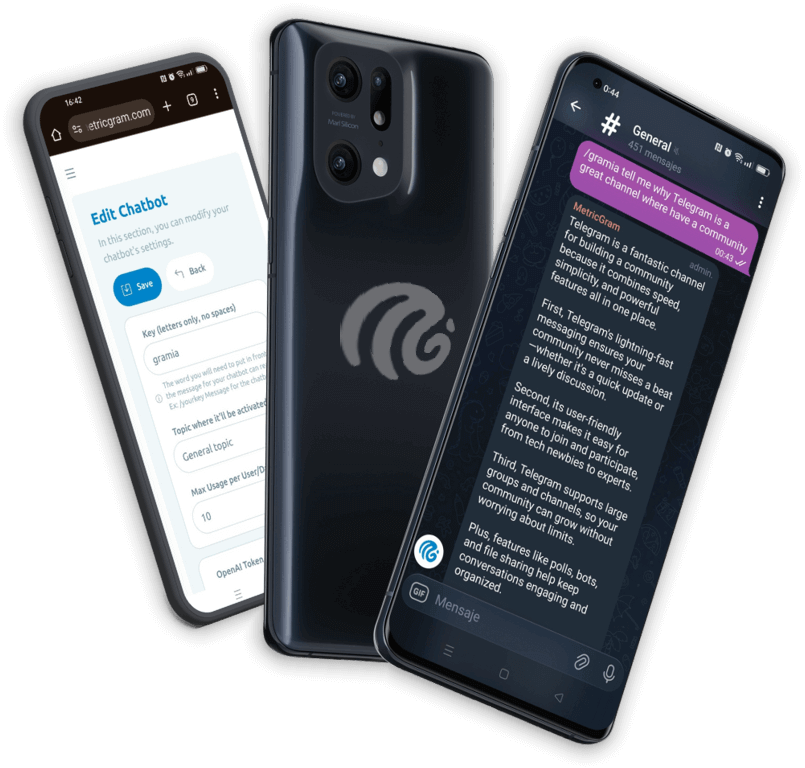
Live directory
Browse Metricgram's curated Telegram directory to find active communities by category and language, and see how leading groups position their listings.
Open directoryWhy Every Telegram Group Needs Bots
If you're managing a Telegram group manually, you're working too hard. Bots are the backbone of any well-run Telegram community, handling everything from welcoming new members to moderating conversations and tracking analytics.
Think of bots as your team of tireless assistants. They work 24/7, never complain, never miss a message, and scale perfectly whether you have 50 members or 50,000.
In this guide, we'll cover the different types of bots you need, what to look for in each category, and how to build a bot stack that keeps your group running smoothly.
Types of Telegram Bots for Groups
1. Welcome Bots
First impressions matter. When someone joins your group and sees nothing — no greeting, no explanation, no rules — they're already halfway out the door.
Welcome bots solve this by automatically sending a message every time a new member joins. The best ones let you:
- Customize the welcome message with the member's name
- Send both group messages and private DMs
- Include links to rules, resources, and pinned messages
- Add images or formatted text
- Set different messages for different groups
Why it matters: Groups with automated onboarding retain significantly more members. People who feel welcomed stick around. People who feel ignored don't.
2. Anti-Spam Bots
Spam is the cancer of Telegram groups. Left unchecked, it drives away legitimate members and makes your group look unmoderated.
Good anti-spam bots can:
- Detect and remove spam messages instantly
- Block known spam accounts on join
- Require new members to solve a CAPTCHA
- Filter messages containing certain keywords or links
- Rate-limit new accounts to prevent bot floods
The trick is finding the balance. Too aggressive and you block real people. Too lenient and spam floods through. The best bots let you tune their sensitivity.
3. Moderation Bots
Beyond spam, you need moderation tools for managing your community:
- Ban/unban members with commands or a dashboard
- Restrict users (read-only, no media, no links)
- Promote/demote admins
- Warn members with a strike system
- Mute users temporarily or permanently
- Delete specific types of messages
Telegram's built-in admin tools cover basics, but a moderation bot gives you a centralized interface, logging, and automation that the native tools don't provide.
4. Auto-Reply Bots
These are keyword-triggered bots that respond automatically when someone types a specific word or phrase. They're perfect for:
- FAQs — "How much does it cost?" → automatic answer
- Resource sharing — "docs" → link to documentation
- Rules reminder — "rules" → link to pinned rules
- Redirects — "support" → instruction to open a support ticket
Auto-replies save you from answering the same questions dozens of times a day. Set them up once and they handle the rest.
The best auto-reply bots support:
- Multiple triggers per response
- Regex pattern matching
- Private replies (DM the answer instead of posting in the group)
- Media attachments (images, documents)
- Multiple languages
5. Scheduling Bots
Consistent posting is what separates thriving groups from dead ones. Scheduling bots let you:
- Plan messages days or weeks in advance
- Set recurring messages (daily, weekly, monthly)
- Preview messages before they're sent
- Schedule different content for different groups
- Include images and formatted text
This is particularly valuable if you manage multiple groups or if your community spans different time zones.
6. Analytics Bots
Decisions based on real data beat guesswork. Analytics bots track:
- Daily/weekly/monthly active members
- Message volume and patterns
- Growth rate and churn
- Most active members
- Engagement rates over time
- Peak activity hours
Without analytics, you're managing blind. You might think your group is healthy when engagement has been slowly declining for months.
7. Gamification Bots
Engagement drops? Conversations going quiet? Gamification bots can help by turning participation into a game:
- Points for messages, reactions, daily activity
- Streaks for consecutive days of participation
- Leaderboards showing top contributors
- Rewards that members can earn with their points
- Levels that unlock as members participate more
Gamification works because it taps into human psychology. People naturally want to see their name on a leaderboard, maintain their streak, or unlock the next reward.
8. AI Chatbots
The newest category — and arguably the most powerful. AI chatbots trained on your own data can:
- Answer complex questions about your community or product
- Provide 24/7 support without human intervention
- Handle onboarding conversations
- Summarize discussions
- Generate content suggestions
The key difference from auto-replies: AI chatbots understand context and can handle questions they've never seen before, as long as the answer exists in their training data.
Ready to improve your Telegram group? Start your 14-day Metricgram trial.
Start free trialBuilding Your Bot Stack
You don't need eight different bots. The best approach is an integrated platform that combines multiple functions into one bot. This means:
- One bot to manage instead of eight
- No conflicts between bots
- Unified dashboard for all settings
- Consistent experience for your members
What to Look For
When choosing a bot or platform, evaluate:
- Ease of setup — Can you get started in minutes, not hours?
- Customization — Can you tailor everything to your group's needs?
- Reliability — Does it work 24/7 without downtime?
- Multiple group support — Can you manage all your groups from one place?
- Analytics — Does it come with built-in tracking?
- Support — Is help available when something goes wrong?
- Custom bot identity — Can you use your own branded bot instead of a generic one?
The All-in-One Option
Metricgram combines welcome messages, auto-replies, scheduled messages, analytics, gamification, AI chatbots, and Stripe payment integration into a single platform. One bot, one dashboard, everything you need.
You can even use your own custom bot — branded with your community's name and avatar — instead of a generic bot. This gives your group a professional, cohesive feel.
Setting Up Bots: Best Practices
Start Simple
Don't try to set up everything at once. Start with:
- A welcome message (5 minutes to set up)
- 2-3 auto-replies for your most common questions (10 minutes)
- Basic analytics tracking (automatic once connected)
Then add scheduling, gamification, and AI as your needs grow.
Test Before Going Live
Always test your bot in a small test group before deploying to your main community. Check that:
- Welcome messages look right
- Auto-replies trigger correctly
- Formatting displays properly
- The bot has the right permissions
Monitor and Adjust
Bots aren't set-and-forget. Review their performance regularly:
- Are auto-replies answering the right questions?
- Is the spam filter too aggressive or too lenient?
- Are welcome messages getting read?
- Which gamification features are members using?
Adjust based on feedback and data.
Common Mistakes
- Too many bots — Creates confusion and conflicts. Consolidate.
- No testing — A misconfigured bot can spam your entire group.
- Set and forget — Bots need periodic review and updating.
- Over-automation — Some conversations need a human touch. Don't automate everything.
- Ignoring permissions — Make sure your bot has exactly the permissions it needs, no more.
What matters most
Bots are not optional for serious Telegram group management. They're the infrastructure that lets you scale your community without scaling your workload.
Start with the basics — welcome messages and auto-replies — and build from there. Your future self (and your group members) will thank you.
Start your 14-day free Metricgram trial to set up the bots your group needs in one platform. No credit card required.
Ready to manage your Telegram group with Metricgram?
Automate tasks, track analytics, and grow your community with a 14-day free trial. No credit card required.
Start free trialGet weekly Telegram community tips
Join community managers who receive our best tips, guides, and product updates.
You may also like
Telegram For Podcasters: How To Build Listener Community, Paid Access, And Launch Momentum Beyond The RSS Feed
Podcasts are great for trust and habit, but weak for direct listener interaction. This guide explains how podcasters can use Telegram for launch rooms, paid communities, and listener retention without confusing it with podcast hosting.
Telegram For Freelancers: How To Use It For Clients, Leads, And Community Without Creating More Admin Work
Telegram can be useful for freelancers, but only if it has a clear job. This guide explains when to use Telegram for client communication, lead nurturing, paid communities, and peer groups without turning it into operational clutter.