
Telegram Subscription Bot: How To Sell Access Without Manual Admin Work
Learn what a Telegram subscription bot should do, how payments and invite links fit together, and how to evaluate automation for a paid Telegram group or channel.
Live directory
Browse Metricgram's curated Telegram directory to find active communities by category and language, and see how leading groups position their listings.
Open directoryWhat People Mean By A Telegram Subscription Bot
When people search for a Telegram subscription bot, they usually want one thing: a way to charge members and control access without spending every day in spreadsheets, Stripe tabs, and Telegram admin screens.
The phrase can be confusing because Telegram bots can do many things. A simple bot might answer commands. A moderation bot might delete spam. A payment bot might collect a one-time payment. A real subscription workflow is bigger than any one command.
For a paid community, the bot or automation layer needs to connect four systems:
- the checkout page where the customer pays;
- the subscription record that says whether the customer is active;
- the Telegram user who should receive access;
- the private group or channel where access must be granted, updated, or removed.
That is the difference between "a bot" and a subscription operation. A button that sends an invite link is not enough. The business needs to know who paid, who joined, who canceled, who failed payment, and who should no longer be inside the community.
Metricgram is built around that operational layer for Telegram communities. The goal is not to replace Telegram with a heavy community platform. The goal is to keep your paid community inside Telegram while making the subscription side manageable.
The Subscription Bot Job Description
A useful Telegram subscription bot should handle more than initial invites. If you are evaluating tools, use this checklist.
1. Connect Payment Status To Telegram Access
The core workflow is simple:
- A customer buys a monthly or annual subscription.
- The system identifies which Telegram group or channel that product unlocks.
- The customer receives a safe join path.
- The system records the link between the paying customer and the Telegram member.
- Access is removed when the subscription is canceled, expired, refunded, or unrecoverably past due.
Stripe is a strong fit here because Stripe Billing is designed for recurring subscriptions, invoices, failed payment recovery, customer records, and subscription webhooks. But Stripe alone does not know who joined your Telegram group. Telegram alone does not know whether the person is still paying. The subscription bot sits between both worlds.
2. Issue Invite Links Carefully
Telegram's Bot API supports creating invite links for chats when the bot has the right administrator permissions. Those links can include properties such as expiration and member limits. For paid access, that matters because a reusable private invite link can leak, get forwarded, or be used by someone other than the buyer.
In a paid group, invite links should be treated like access tokens, not like public marketing URLs. A good workflow either generates short-lived links, tracks which link was sent to which customer, or uses join requests so an automation can approve the right person.
If a tool only gives every buyer the same permanent link, be careful. That can work for a very small test, but it becomes fragile once members start forwarding links to friends.
3. Link Customers To Telegram Users
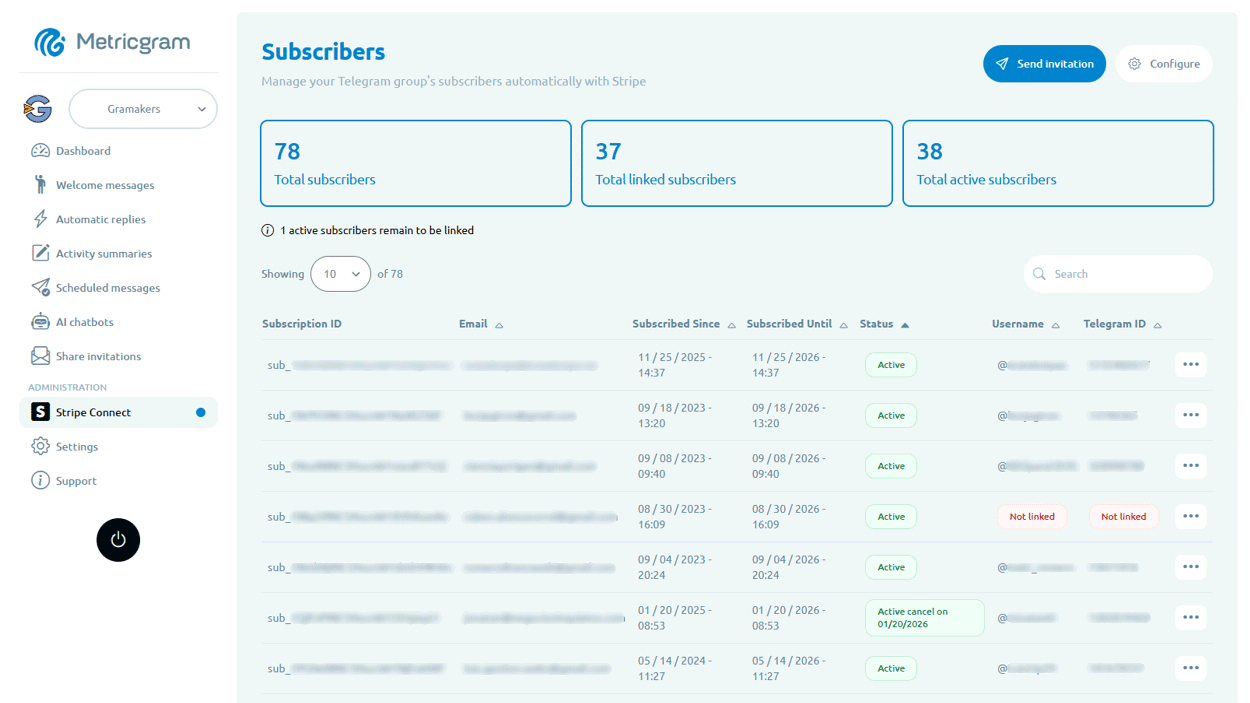
The hardest problem in paid Telegram access is identity matching. Stripe knows the customer by email, customer ID, subscription ID, and payment method. Telegram knows the member by Telegram user ID, username, and display name. These are not the same identity system.
A good subscription bot should make the match explicit. The member should go through a linking step so the system can say, "this Stripe customer is this Telegram user." Without that link, the tool may know a payment happened but still be unsure which member to invite or remove.
This is one reason paid Telegram operations become messy when handled manually. Admins often keep a spreadsheet with email, username, payment status, and join date. That works until usernames change, customers use a different email, or a refund needs to remove access immediately.
4. Handle Failed Payments Gracefully
Subscription revenue depends on more than new signups. Failed payments, expired cards, and canceled subscriptions decide how much revenue you keep.
Stripe can retry failed payments and send webhook events when invoices fail. Your Telegram automation should not immediately remove every member the second a temporary payment failure appears. For many communities, the better flow is:
- detect the failed payment;
- notify the customer through the billing flow or email;
- give a short grace period if that matches your policy;
- remove access only when the subscription is truly no longer valid.
This is where a paid community starts to feel like a real subscription business. The workflow should protect revenue without giving indefinite access to people who are no longer paying.
5. Give The Operator A Subscriber View
If the only interface is a bot command, the operator is still partly blind. You need to see:
- active subscribers;
- canceled subscribers;
- failed payment status;
- which Telegram user is linked to each customer;
- join and removal history;
- products or plans attached to each group;
- revenue and churn trends.
This is why a "subscription bot" is usually better as a full subscriber management system with a bot component. The bot performs Telegram actions. The dashboard gives the operator control.
Ready to improve your Telegram group? Start your 14-day Metricgram trial.
Start free trialBot, Membership Platform, Or Telegram-Native CRM?
There are three common approaches.
A lightweight bot is best for testing. You can sell a single product, invite buyers manually or semi-automatically, and see whether people pay. The downside is that retention, refunds, upgrades, and analytics usually remain manual.
A general membership platform is best when the member experience should live mostly outside Telegram. This can work for courses, downloads, or content libraries where Telegram is only a bonus.
A Telegram-native CRM and automation tool is best when the Telegram group or channel is the product. That is the Metricgram angle: your community stays in Telegram, while subscriber records, analytics, access control, invite workflows, and lifecycle operations become structured.
What To Avoid
Avoid selling access with one permanent invite link. It is the fastest path to leakage.
Avoid manual removal. Cancellations will be missed, especially when you have more than a few dozen paying members.
Avoid tools that do not expose subscriber state. If you cannot answer "who is active, who canceled, and who is inside the group right now," the system is not ready for scale.
Avoid making Telegram usernames the only identifier. Usernames can change and some users do not have public usernames at all.
Avoid overbuilding custom code before the business model is proven. Most paid communities need reliable workflows more than a bespoke bot.
A Practical Setup Sequence
Start with the offer. Decide what members pay for: expert access, signals, coaching, accountability, private discussion, support, or premium content.
Create the Stripe product and price. Monthly and annual plans are enough for most first versions. Add a trial only if you have a strong onboarding sequence that proves value quickly.
Connect the product to the Telegram destination. Decide whether the subscription unlocks a group, a channel, or both.
Create the member linking flow. Make sure the customer can connect their Telegram identity before or immediately after payment.
Define access rules. Decide what happens on cancellation, failed payment, refund, upgrade, downgrade, and annual renewal.
Add reporting. Track signups, active subscribers, churn, revenue, and member activity. A subscription business without reporting is just a chat with a checkout link.
Where Metricgram Fits
Metricgram is for operators who want Telegram to remain the community home but do not want Telegram admin work to become the business bottleneck.
It helps with the parts a raw bot does not fully solve: subscriber records, Stripe-connected access, invite flows, analytics, group activity, and operational visibility. You still own the community, pricing, and value. Metricgram makes the recurring admin work less fragile.
If you are choosing a Telegram subscription bot, ask one question first: "Will this still work when I have 500 paying members, failed payments every week, upgrades, cancellations, and support questions?" If the answer is no, choose an operations layer instead of a bot command.
Sources
Ready to manage your Telegram group with Metricgram?
Automate tasks, track analytics, and grow your community with a 14-day free trial. No credit card required.
Start free trialGet weekly Telegram community tips
Join community managers who receive our best tips, guides, and product updates.
You may also like
Telegram For Educators: How To Run Cohorts, Student Communities, And Office Hours Without Replacing Your LMS
Telegram is a strong fit for educators when it is used as the live layer around a course or training business. This guide explains how to use it for cohorts, student communities, office hours, and support without turning it into a substitute for your LMS.
Telegram MCP Server: Give AI Agents the Full Telegram Bot API, Safely
What a Telegram MCP server is, why wrapping the Telegram Bot API for AI agents is harder than it looks, and how Metricgram exposes 70+ Bot API methods as secure, group-scoped MCP tools.