
Telegram Supergroups Explained: Features, Limits, and How to Upgrade
Telegram supergroups unlock powerful features for large communities. Learn the differences between regular groups and supergroups, how to upgrade, and how to manage supergroups effectively.
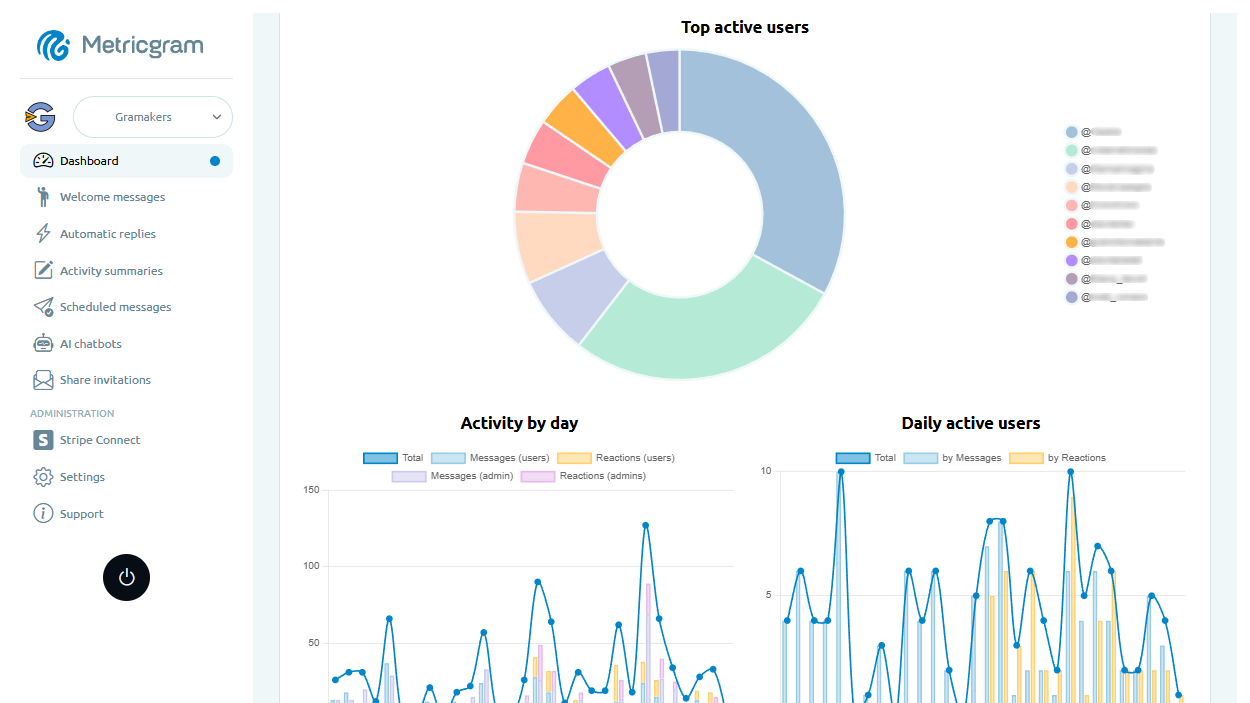
Live directory
Browse Metricgram's curated Telegram directory to find active communities by category and language, and see how leading groups position their listings.
Open directoryWhat Is a Telegram Supergroup?
A Telegram supergroup is an upgraded version of a regular Telegram group designed for larger communities. While regular groups work fine for small friend circles and casual conversations, supergroups are built for communities that need real moderation tools, persistent message history, and the ability to scale beyond a few hundred members.
The distinction matters more than most people realize. A basic Telegram group caps out at 200 members and offers almost no admin tools. A supergroup supports up to 200,000 members and comes with a full suite of management features: granular admin permissions, message search, topics, slow mode, anti-spam, and built-in statistics.
Telegram can automatically migrate a basic group to a supergroup when an admin tries to use an action that only supergroups support. Reaching 200 members alone does not mean that every group will automatically convert. The migration creates a new supergroup. A gigagroup is a separate conversion from a supergroup where only admins can write, the participant limit is removed, and people cannot be invited directly.
This is actually a good thing. The upgrade is seamless for your members, the chat history stays intact, and you get access to tools you'll need as your community grows. But it helps to understand what changes and what new capabilities you're working with.
Regular Group vs. Supergroup: The Key Differences
The gap between a regular group and a Telegram supergroup is significant. Here's a side-by-side comparison:
| Feature | Regular Group | Supergroup |
|---|---|---|
| Member limit | 200 | 200,000 |
| Message history for new members | Not visible | Fully visible |
| Admin roles & permissions | Basic | Granular (per-admin) |
| Pinned messages | 1 | Unlimited |
| Topics (sub-forums) | No | Yes |
| Slow mode | No | Yes (configurable) |
| Anti-spam tools | No | Yes |
| Built-in statistics | No | Yes (admins of eligible supergroups) |
| Message editing/deletion by admins | Limited | Full control |
| Username (public link) | No | Yes (optional) |
| Invite links with approval | No | Yes |
| Bot integration | Basic | Full API access |
| Message search | Limited | Full-text search |
The three differences that matter most in practice are message history visibility, granular admin permissions, and topics. Message history means new members can actually read what happened before they joined, which is essential for building context in any community. Granular permissions mean you can give one admin the power to pin messages without letting them ban members. And topics let you organize conversations into threads instead of one chaotic stream.
If you're running any group larger than a casual friend chat, you want a supergroup. Period. For a deeper look at the broader question of groups versus channels, check out our guide on Telegram group vs channel.
Ready to improve your Telegram group? Start your 14-day Metricgram trial.
Start free trialHow to Upgrade to a Supergroup
There are two ways your group becomes a supergroup: automatically or manually.
Automatic upgrade happens when you:
- Use an action that only a supergroup supports
- Make the group public (assign a username)
- Enable visible message history for new members
- Enable topics
Manual upgrade (if none of the above apply yet):
- Open your group in Telegram
- Tap the group name to open Group Info
- Tap Edit (pencil icon)
- Toggle on Chat History for New Members (set to "Visible")
- Confirm the change
That's it. Your group is now a supergroup. The process takes about three seconds.
What changes after the upgrade:
- All existing messages are preserved
- The group gets a unique internal ID (it changes from a regular group ID to a supergroup ID, which matters if you're using bots)
- New members can see the full chat history
- You gain access to all supergroup admin tools
- Member list becomes searchable
What you might lose:
- The ability to revert. Once a group becomes a supergroup, it stays a supergroup permanently.
- If you had bots connected that rely on the group ID, you'll need to update their configuration with the new supergroup ID. Most modern bots handle this gracefully, but older ones might need a manual reconnection.
The upgrade is non-destructive and generally painless. There is no reason to delay it if you're planning to grow your community.
Supergroup Features You Should Be Using
Most admins upgrade to a supergroup and then use maybe 20% of the available tools. Here are the features that actually make a difference for community management.
Topics (Sub-Forums)
Introduced in 2022 and steadily improved since, Topics turn your single-stream group chat into an organized forum with separate conversation threads. Think of it as having multiple channels inside one group.
You can create topics like "General Discussion," "Announcements," "Off-Topic," "Help & Support," and so on. Each topic has its own message stream, pinned messages, and notification settings. Members can mute topics they don't care about and focus on the ones they do.
When to use Topics: Groups with more than 50 active daily posters, communities covering multiple subjects, or any group where important messages get buried in general chat. Topics are the single biggest quality-of-life improvement for both admins and members.
When to skip Topics: Small, casual groups where a single conversation stream feels natural. Forcing a forum structure on a 30-person group usually creates ghost threads nobody uses.
Slow Mode
Slow mode sets a cooldown timer between messages from each member. Options range from 30 seconds to 1 hour. During heated discussions or high-traffic events, this prevents the chat from becoming an unreadable wall of text.
It's also surprisingly effective at improving message quality. When people can only post once every few minutes, they tend to think before typing. Use it selectively: turn it on during launches, events, or when conversations get heated, then turn it off for normal periods.
Granular Admin Permissions
In a supergroup, you can assign each admin a specific set of permissions:
- Change group info (name, photo, description)
- Delete messages from any member
- Ban users
- Invite users via link
- Pin messages
- Manage topics
- Manage video chats
- Stay anonymous (post as the group instead of themselves)
- Add new admins
This is critical for larger communities. Your content moderator doesn't need the ability to change the group name. Your event coordinator doesn't need ban powers. Keeping permissions tight reduces the risk of accidental (or intentional) damage. A solid admin team structure for a 1,000+ member group typically looks like: 1-2 super admins with full access, 3-5 moderators with delete and ban permissions, and any number of specialized roles with limited permissions.
Anti-Spam and Aggressive Mode
Telegram's built-in anti-spam bot (available for groups with 200+ members) automatically detects and removes spam messages. You can enable Aggressive mode which casts a wider net, catching more spam at the cost of occasional false positives.
For most communities, the standard anti-spam mode works well. Enable Aggressive mode only if you're getting hit with significant spam volumes and you have active admins who can review false positives.
Built-In Statistics
Admins of eligible supergroups can access Telegram's native statistics panel. The minimum size threshold is configured server-side, and Telegram's channelFull response exposes eligibility through the can_view_stats flag. It shows member growth, message counts, posting times, top posters, and language breakdown. The data is useful but limited: you get basic trends without much depth.
For more actionable insights like engagement rates, retention metrics, and member activity patterns, you'll want dedicated telegram group analytics tools. Metricgram provides a full analytics dashboard that goes well beyond what Telegram's native stats offer, giving you the data you need to actually make decisions about your community.
Pinned Messages
Regular groups allow exactly one pinned message. Supergroups allow unlimited pins. This sounds minor until you realize you can pin your rules, your FAQ, your latest announcement, and your event schedule all at the same time.
Members can tap the pin icon to scroll through all pinned messages. Use them generously. Pin anything a new member would need to find within their first five minutes.
Managing a Large Supergroup
Having the features is one thing. Using them effectively at scale is another. Here's what changes when your supergroup grows past a few hundred members.
The Moderation Problem Scales Exponentially
A 100-member group might need moderation once or twice a day. A 1,000-member group needs it constantly. A 10,000-member group needs it around the clock, across time zones, with clear escalation procedures. The math is simple: more members equals more messages, more conflicts, more spam, and more edge cases.
The solution is a layered system:
- Automated first line: Bots handle spam, auto-replies handle FAQs, and welcome messages handle onboarding. This eliminates 60-80% of the manual workload. For a breakdown of the best Telegram bots for groups, we've covered that separately.
- Moderator team second line: Human moderators handle content disputes, rule violations that require judgment, and member conflicts. Aim for at least one active moderator per 500-1,000 members.
- Admin oversight third line: Senior admins handle policy decisions, moderator training, and community strategy. They shouldn't be in the weeds of daily moderation.
Build an Admin Handbook
Once you have more than two admins, you need written guidelines. What's a bannable offense versus a warning? How many warnings before a mute? How long should mutes last? What language is acceptable and what isn't?
Without written standards, every admin enforces rules differently, and members notice. Inconsistency is the fastest way to lose trust in a community.
Automate the Repetitive Work
Every recurring task in your group that doesn't require human judgment should be automated. Welcome messages for new members. Scheduled announcements. Keyword-based replies to common questions. Daily or weekly engagement reports.
The how to manage Telegram groups guide covers automation strategies in depth. The short version: if you're doing something manually more than twice a day, automate it.
Supergroup Limits You Need to Know
Even supergroups have ceilings. Here are the hard limits as of 2026:
- Members: 200,000 maximum per supergroup
- Admins: Up to 50 admins per group
- Bots: Up to 20 bots per group
- Pinned messages: Unlimited (but practical limit of ~25 before it gets unwieldy)
- Message length: 4,096 characters per message
- File size: Up to 2 GB per file (documents, videos, etc.)
- Username: One public username per group (must be unique across all of Telegram)
- Invite links: Unlimited invite links with individual tracking
- Topics: Up to 5,000 topics per group (with a reasonable practical limit far below that)
- Slow mode intervals: 30 seconds, 1 minute, 5 minutes, 15 minutes, 1 hour
The 200,000 member limit is the one that gets the most attention, but very few communities actually hit it. If you're approaching that number, you're operating at a scale where you likely need to split into multiple groups or move to a hybrid group-plus-channel model. For a full breakdown, see our Telegram group limits FAQ.
The 50 admin limit is more likely to affect growing communities. If you're running a team of moderators, consider using bot-based moderation that doesn't require admin slots instead of promoting every helper to admin status.
When NOT to Use a Supergroup
Supergroups are powerful, but they're not always the right choice.
Keep a regular group if:
- You have fewer than 30 members and no plans to grow significantly
- It's a private friend group or family chat where nobody needs admin tools
- You want the simplicity of a basic group without the overhead of extra features
Use a channel instead if:
- You primarily need to broadcast information one-way (announcements, news, content)
- You don't want members replying in the main feed
- Your audience is in the thousands or millions and interaction happens in a linked discussion group, not the main feed
Use a channel + linked supergroup if:
- You want to broadcast content but also allow discussion
- You need the reach of a channel with the community engagement of a group
The channel-plus-group combo is increasingly the standard setup for large Telegram communities. The channel handles broadcasts and content distribution. The linked supergroup handles discussion and community interaction. It gives you the best of both worlds.
What matters most
A Telegram supergroup isn't just a group with more members allowed. It's a fundamentally different tool with admin controls, organization features, and moderation capabilities that regular groups simply don't have. The upgrade is free, instant, and irreversible, and there's no reason to avoid it if you're serious about building a community.
The features are there. Topics, slow mode, granular permissions, anti-spam, statistics, unlimited pins. The question isn't whether to use them but how well you use them. The communities that thrive on Telegram are the ones that pair these native tools with smart automation and real data.
Start with Metricgram to see what your supergroup looks like when activity, growth, and engagement are measured properly.
Ready to manage your Telegram group with Metricgram?
Automate tasks, track analytics, and grow your community with a 14-day free trial. No credit card required.
Start free trialGet weekly Telegram community tips
Join community managers who receive our best tips, guides, and product updates.
You may also like
Telegram For Educators: How To Run Cohorts, Student Communities, And Office Hours Without Replacing Your LMS
Telegram is a strong fit for educators when it is used as the live layer around a course or training business. This guide explains how to use it for cohorts, student communities, office hours, and support without turning it into a substitute for your LMS.
Telegram MCP Server: Give AI Agents the Full Telegram Bot API, Safely
What a Telegram MCP server is, why wrapping the Telegram Bot API for AI agents is harder than it looks, and how Metricgram exposes 70+ Bot API methods as secure, group-scoped MCP tools.